
How to Set Up an eSIM on Your Smartphone
Gone are the days of dealing with tiny plastic SIM cards and waiting in stores to get connected.
With eSIM technology, you can activate mobile data instantly — anywhere, anytime.
Whether you’re traveling abroad or switching networks, an eSIM gives you full flexibility without needing a physical SIM.
In this guide, we’ll show you how to set up your eSIM on any smartphone in just a few minutes.
Setting up an eSIM on your smartphone is simple, fast, and secure.
Once installed, you can enjoy high-speed internet anywhere in the world — without swapping SIM cards or paying roaming charges.
🌍 What You Need Before You Start
Before setting up your eSIM, make sure you have:
✅ An eSIM-compatible smartphone (iPhone XS or later, Samsung Galaxy S20 or later, Google Pixel 4 or newer)
✅ A stable internet connection (Wi-Fi)
✅ Your eSIM QR code or activation code from eSimAccess.uk
✅ Your phone unlocked (if purchased from a carrier)
Once you have everything ready, setup takes less than 3 minutes.
🍏 How to Set Up an eSIM on iPhone (iOS 15 or later)
1️⃣ Go to Settings → Cellular → Add eSIM
2️⃣ Tap Use QR Code
3️⃣ Scan the QR code provided by eSimAccess.uk
4️⃣ When prompted, tap Add Cellular Plan
5️⃣ Wait for activation (usually under 1 minute)
6️⃣ Turn on Mobile Data → Select your new eSIM plan
💡 Tip: Rename your plan to "eSimAccess" to easily identify it later.
🤖 How to Set Up an eSIM on Android (Samsung, Xiaomi, OnePlus)
1️⃣ Open Settings → Connections → SIM Manager
2️⃣ Tap Add eSIM
3️⃣ Choose Scan QR code or Enter activation code manually
4️⃣ Wait for the eSIM to download and install
5️⃣ Enable Mobile Data for your eSIM plan
6️⃣ Turn off roaming for your physical SIM (optional)
💡 Most Samsung and Google phones support multiple eSIM profiles — perfect for frequent travelers.
📱 How to Set Up an eSIM on Google Pixel
1️⃣ Go to Settings → Network & Internet → SIMs
2️⃣ Tap Download a SIM instead
3️⃣ Scan your QR code from eSimAccess.uk
4️⃣ Follow the instructions to activate the eSIM
5️⃣ Turn on Mobile Data for your new plan
💡 You can switch between eSIMs instantly without removing your SIM card.
⚙️ Troubleshooting Tips
If your eSIM isn’t activating:
-
Restart your phone and try again.
-
Make sure you have a stable Wi-Fi connection.
-
Double-check the activation code or QR code.
-
Ensure your device supports eSIM technology.
-
Contact eSimAccess.uk Support for help — available 24/7.
🌐 Why Choose eSimAccess.uk?
At eSimAccess.uk by STRATOS TECH LTD, we make it easy for you to stay connected globally:
✅ Instant eSIM activation — receive your QR code immediately after purchase
✅ Affordable data packages for 190+ countries
✅ No contracts or hidden fees
✅ Dedicated customer support
Whether you’re a traveler, remote worker, or digital nomad — eSimAccess.uk keeps you online everywhere.

How eSIM Is Changing the Way We Stay Connected
07 Jul 2025

How to Use eSIM When Traveling Abroad
19 Apr 2025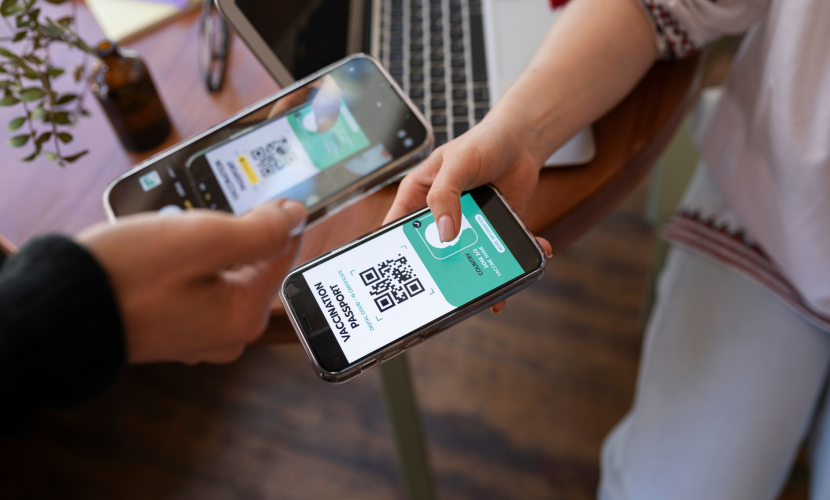
eSIM vs. Physical SIM: Which Is Better
19 Apr 2025